hist2query
Rakaia v0.33.0 introduces support for hist2query, an H&E query engine that supports dynamic, in-browser querying of diverse H&E patches or varying dimensions and resolutions. The query engine supports matching patches against the TCGA cohort using FAISS indexing on UNI2 patch embeddings, or with natural language using Prism2 chat.
This article describes how to run hist2query from inside the Rakaia GUI. Users should be familiar with rendering Whole Slide Images (WSI) such as H&Es; refer to this article for more information.
Pre-requisites
In order to run hist2query in Rakaia, a suitable H&E must be rendered inside the WSI tab. See here for information on how the image needs to be rendered. Once rendered, users should be an option to execute Query WSI in the Rakaia WSI tab.
Attestations for usage
The UNI2, Virchow2, and Prism2 models used by hist2query are gated on Hugging face, and each requires the user to agree to specific terms of usage. Because of this, rakaia includes a check box attestation that users must agree to before usage:
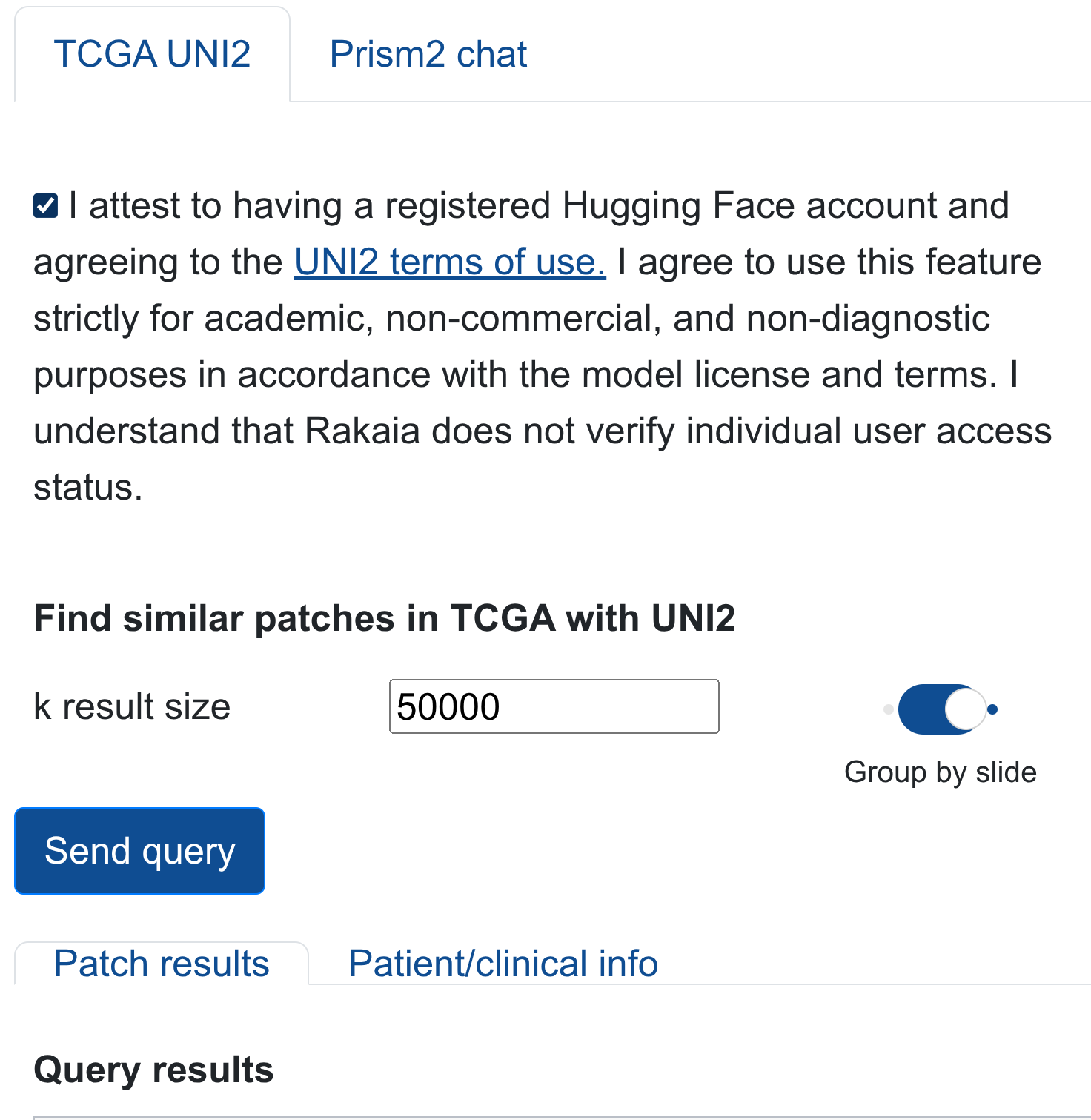
Model querying will be enabled only when users attest to the model terms (must be done individually for UNI2 TCGA queries and Prism2 chat .)
Prior to completing the attestation, users MUST register a hugging face account and gain gated access to each of the model repositories to be used for hist2query querying. Users must agree to use the hist2query outputs strictly for academic, non-commercial, and non-diagnostic purposes in accordance with individual model license and terms. Failure to comply with any of the terms listed above, as well as on the hugging face repositories, constitutes a violation of model usage.
To review the terms of each model to complete attesttations, visit the model links below with a registered hugging face account:
UNI2: https://huggingface.co/MahmoodLab/UNI2-hVirchow2: https://huggingface.co/paige-ai/Virchow2Prism2: https://huggingface.co/paige-ai/Prism2
Configuring a hist2query deployment
hist2query can be executed locally or deployed on a server with GPU. Querying TCGA slides with UNI2 is supported on CPU, but using natural language chat with Prism2 requires GPU access. If a user attempts to deploy the Prism2 model on CPU, the endpoint will return a 503 HTTP exception (resource not found).
hist2query deployments can serve single or multiple users concurrently. Details for calling specific models from select endpoints can be found below. In Rakaia, users must supply a host and/or port for the hist2query deployment. If users are running hist2query from the same computer as Rakaia, the host can be set as localhost and the chosen port (default 7000) set for the port.
If deploying through docker, the host should be set to 0.0.0.0 for both the hist2query deployment command and the host.
TCGA slide querying with UNI2
The main endpoint for hist2query allows users to query any H&E patch against the TCGA UNI2 embeddings using FAISS indexing. hist2query allows users to generate their own custom FAISS embeddings from the TCGA cohort on either the full (~16GB) dataset, or with project/tissue-specific subsets. Visit the main repository for more information. To use the UNI2 query function for the TCGA dataset, both an FAISS index file and matched metadata paruet file must be supplied to the hist2query deployment.
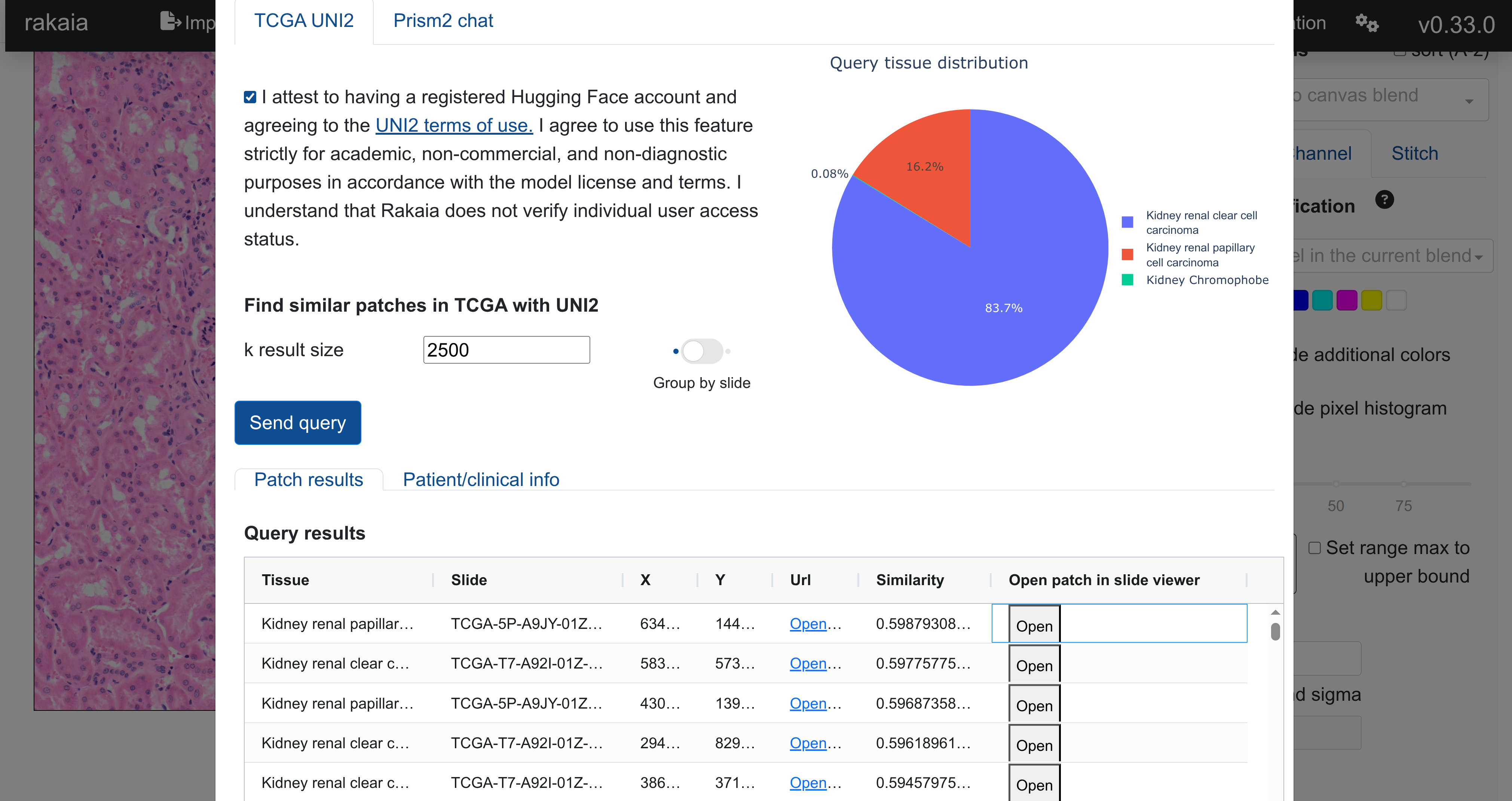
From the rakaia UI, queries can be made against the FAISS index and matched metadata, returning top patch hits in TCGA diagnostic slides based on similarity, listed in the Patch results tab. The hits can be grouped by slide, or listed by top similarity, allowing users to prioritize patches either by the highest similarity across tissue type, or grouped to identify the slides and patients with the highest number of query hits:
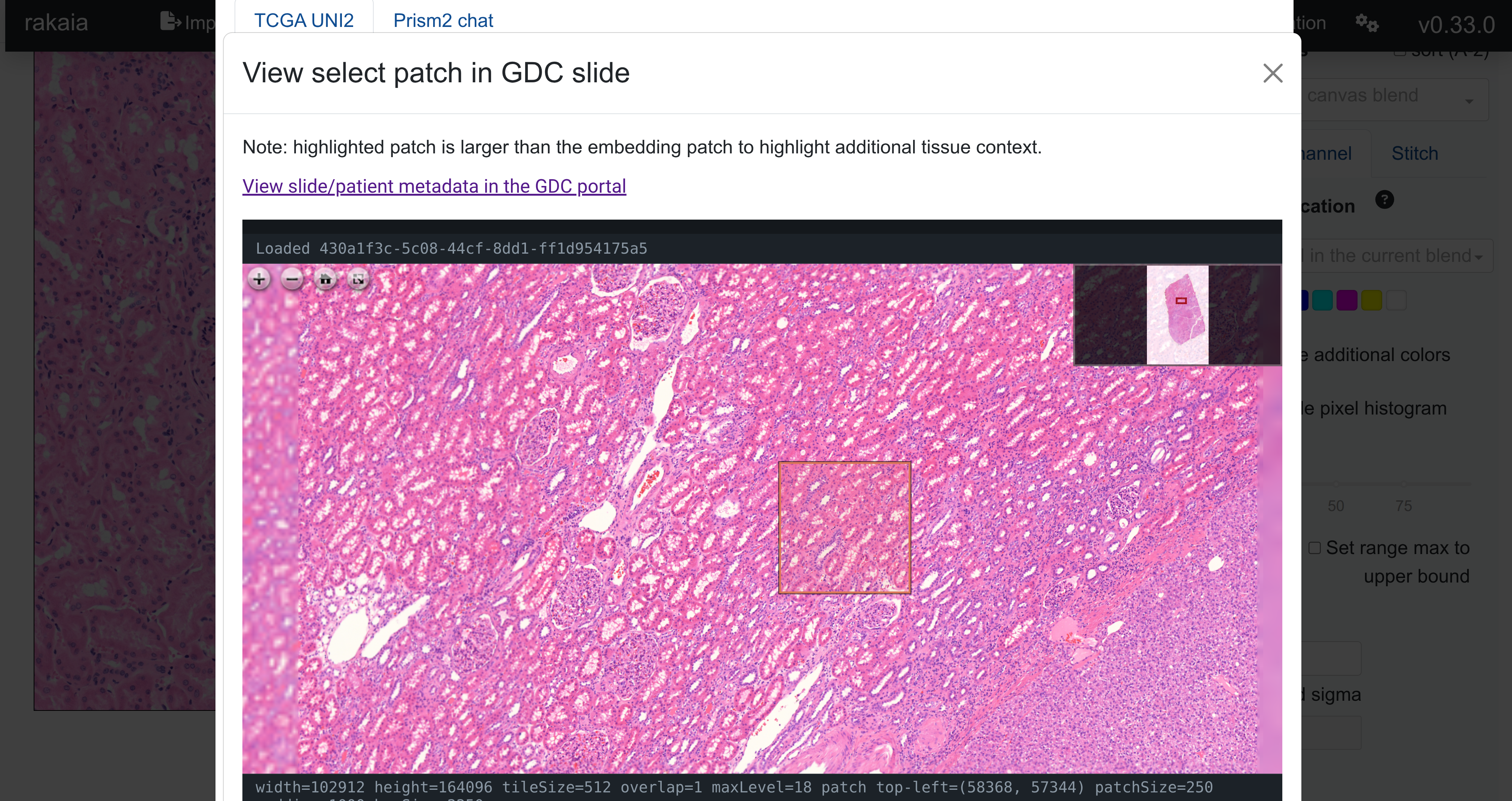
Each result patch can also be viewed in its original slide in a separate popup modal by selecting Open patch in slide viewer. This will render the original TCGA diagnostic slide and highlight the spatial location of the selected patch for full-slide context. For within this context modal, users can also link directly to the GDC data portal for that particular slide to gain additional metadata and cohort information:
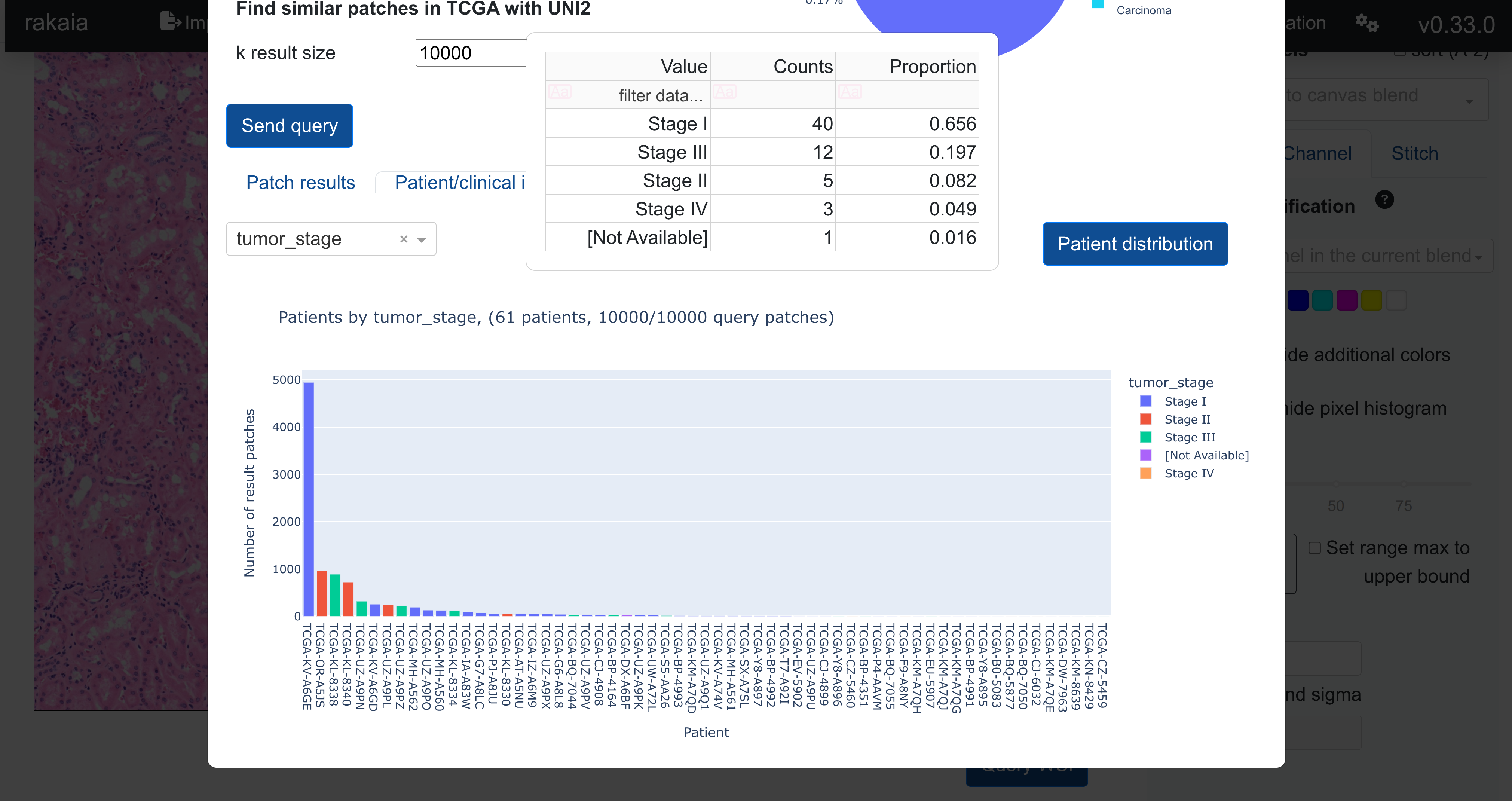
Matched clinical metadata for every TCGA patient with a slide in the query hits can also be interactively viewed in the Patient/clinical info tab. Patients are grouped and ordered by the number of patch hits, and coloured by a user-selected metadata variable. In this way, queries can be dynamically linked to relevant metadata such as cancer staging, grade, and outcome. The Patient distribution selection will also provide a breakdown of patient counts by a specific metadata variable, allowing for metadata variable associations between the query and results.
To find patient collections that are most specific to the query tissue type, users may also filter the patient results by filter type using Filter patients using tissue type, or by setting a minimum number of patches required per patient. Using these filters, users can get more focussde patient subsets that are both tissue and disease-specific, as well as patients that have a large number of relevant hits to the query patch.
Natural language chat with Prism2
Slide patches can also be queries with Prism2 to obtain natural test and yes/no responses to diverse questions. Users can zoom to a specific H&E patch and ask hist2query general questions about morphology, grade, stage, and general interpretation. Users type a general question into the chat input, and by pressing enter, queries the patch and the question against the Prism2 natural language model. Responses are returned by the model and shown above the question:
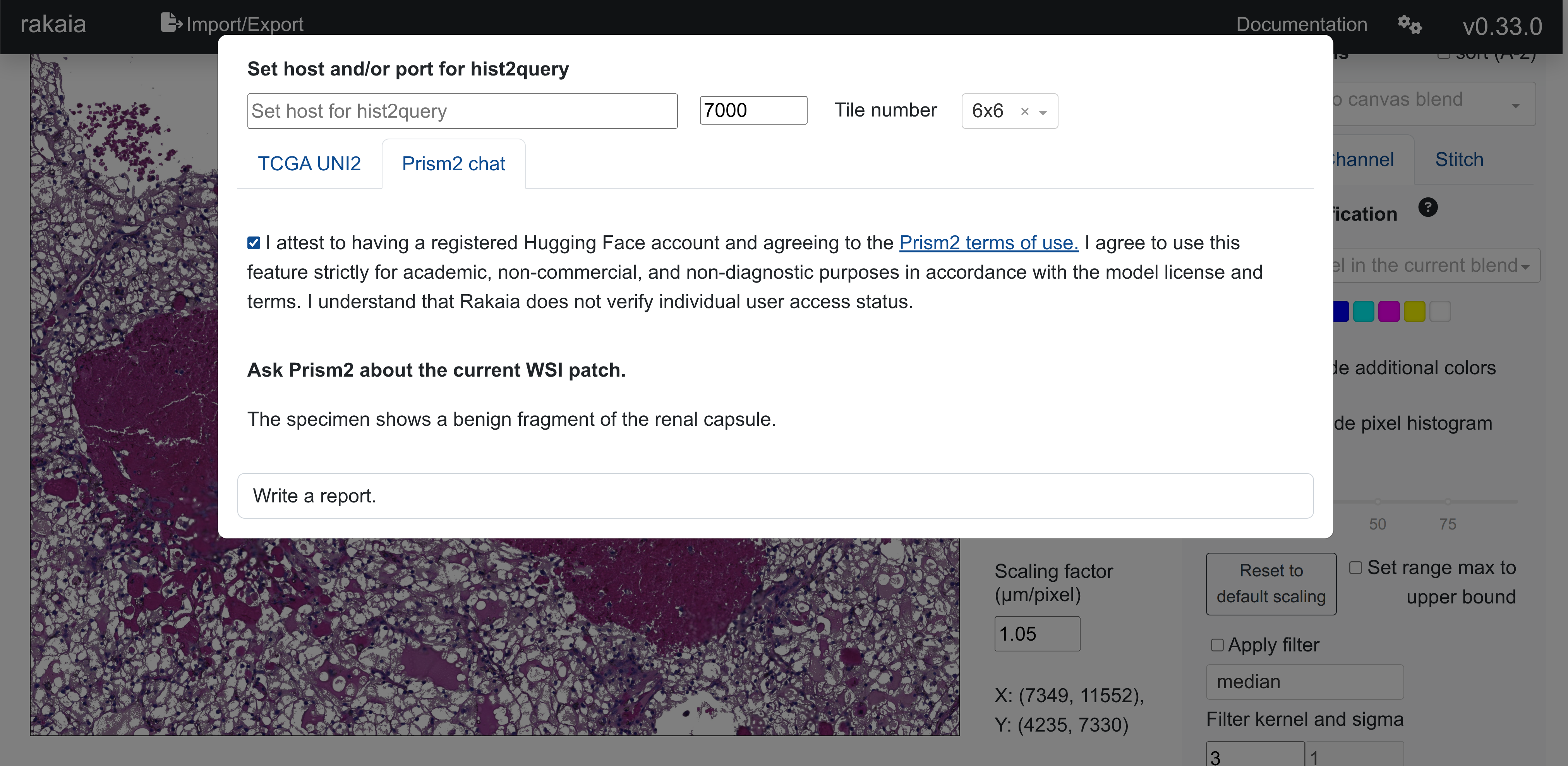
Using the chat function from hist2query in rakaia requires a GPU deployment of hist2query. Refer to the hist2query repo for more information on how to configure a deployment.
Questions starting with any of the following starters: Are, Is, Can, Could are automatically directed into a yes/no question, and the response contains yes/no as well as the probability of the answer being true:
All other questions are directed into open-text responses. Suggested questions for broad query include Write a report., What tissue type it this?, etc.
Patch downsampling
By default, Rakaia will downsample the query patch to a set of 224px tiles, typically between 1-1500px in each axis, in order to make the hist2uery request more tractable. The dimensions of the downsampled patch can be set using Tile number in the title menu in the hist2query modal:
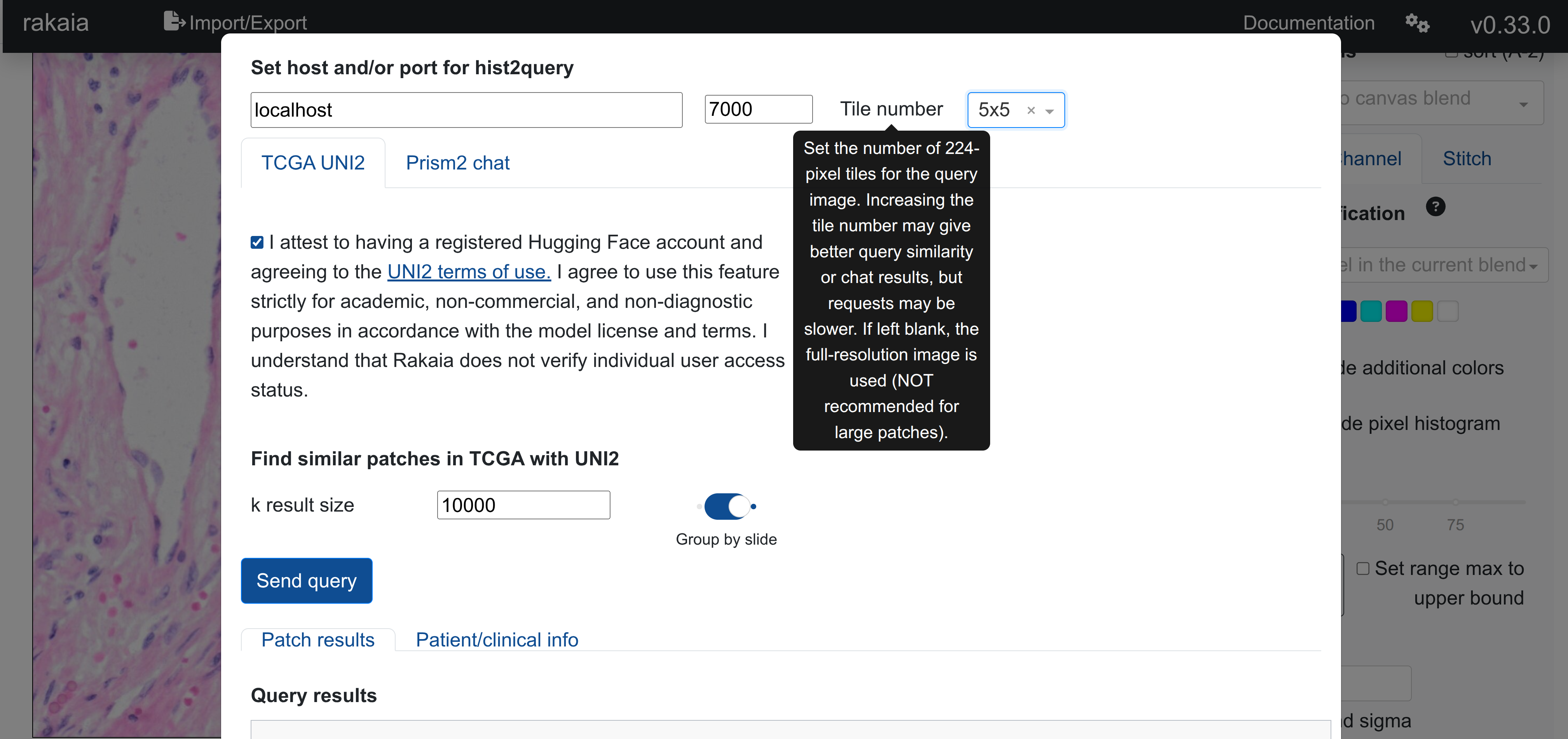
Users are able to bypass the patch downsampling by setting the tile numbe entry to empty, however, this is generally NOT RECOMMENDED as it could allow rakaia to send a very lage (4-5000x4-5000px or larger) patch to ehist2query, which will likely be very slow and consume a lot of RAM/GPU. In practice, downsampling most query patches to a maximum of 2000px per axis is sufficient to get good query results for both TCGA querying and Prism2 chat.